How to Choose Photos for an AI Family Christmas Photo
The photos you start with decide how much the result looks like your family. Here is what to pick and how to check the result before you pay.
- 1
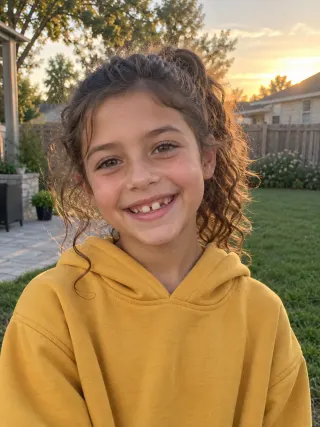
Pick one clear photo of each person
Choose a recent, well-lit photo where the face is in focus and looking toward the camera. Photos from different places and days are fine.
- 2
Avoid what hides a face
Skip sunglasses, masks, heavy filters and photos where someone is far away or turned aside. Each photo should show one person or one pet.
- 3
Add pets the same way
Use a photo where your pet’s face and markings are easy to see. Pets count toward the limit of 6 photos.
- 4
Check every face in the free preview
Count everyone, then compare each face, age and pair of glasses, and each pet’s markings, with its photo.



Should I use separate photos or a group photo?
Use separate photos if someone is missing from the group photo or you want a video: one photo per person, up to 6 in total.
If everyone already looks good in one photo, use One group photo in the generator: up to 5 people and pets stay in place, with new Christmas clothes and a new setting. A group photo can’t become a video.
What if someone doesn’t look like themselves?
Try a clearer, front-facing photo of that person. Each free preview comes with one free retry, with the same photos or one of them swapped.
Faces are most accurate with up to 5 people in one picture. For a bigger family, make one picture for each household.
Questions, answered
How many photos do I need?
One per person or pet, 1 to 6 in total. You do not need several photos of the same person, and the same photo cannot be added twice.
Do the photos need to match?
No. They can come from different places, days and cameras. We make the clothes, background and light match in the final picture.
Can I use an old photo?
Yes, but the AI keeps the age it sees. Use a recent photo, especially for children, so they look the way they do now.
Can I upload from my phone?
Yes. Open the site on your phone, or on a computer scan the QR code next to the upload area and pick photos from your phone.
Ready? Try the AI family Christmas photo with a free preview, or compare AI family photo tools.
Your family Christmas photo, without the photo shoot
Upload everyone’s photo, pick a scene, see your free preview in a minute or two.